
More transparent, intuitive, and efficient daily work
Did you know that we have updated the user menu system of our new eHR system with the aim of supporting even more transparent, intuitive, and efficient daily work?
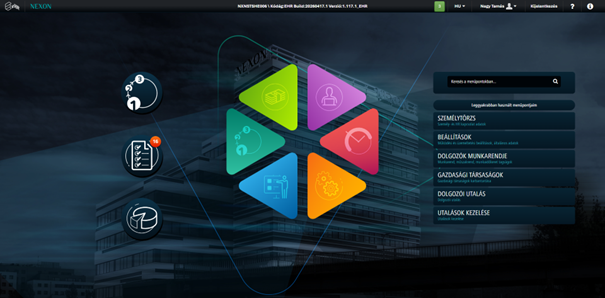
Did you know that we have updated the user menu system of our new eHR system with the aim of supporting even more transparent, intuitive, and efficient daily work?
The screen is divided into three clearly distinguishable sections:
- Quick access menus on the left-hand side – starting workflow processes, the My Tasks menu item, and the general query function of eHR
- eHR menus
- Menu search and most frequently used menu items
When the administrator logs into the interface, they can reach the screen where they perform most of their tasks with a single click.
The menu search function can also assist users. When opening the screen, the cursor immediately appears in the search field, so if the desired menu item is not among the frequently used ones, users can easily navigate to it using the search function.
Share Everywhere